BUILT BY WORKING BIM PROFESSIONALS
Become a
BIM Professional.
Revit, BIM coordination, and the workflows firms actually use, taught by a working BIM Coordinator. For working pros, and for architecture students making the move into BIM.
8+
Courses live
Revit + BIM
Core focus
Monthly
New courses
01 / THE PATH
Three pillars of the
BIM Pro path
Revit, coordination, and the tools to ship. One structured path from first model to job-ready.
PRIMARY FOCUSI
Revit + BIM
Revit is the language of modern AEC. Learn it deeply: modeling, families, documentation, structural workflows, and version updates as they ship.
Revit EssentialsRevit ProStructure 2027Families · Soon
Explore Revit Courses →THE CAREER PATHII
BIM Coordination
Where Revit ends, coordination begins. Clash detection, BEPs, ISO 19650, and running a model across disciplines, from a working coordinator’s playbook.
FoundationsClash DetectionISO 19650Manager Path
Notify Me →VISUALIZE & SHIPIII
Presentation + Marketplace
When you need to ship, not coordinate. Sheet templates, pyRevit tools, and prompt packs that cut the documentation grind.
pyRevit ToolsRevit TemplatesPrompt PacksMarketplace
Browse Tools →02 / HOW IT WORKS
Your path to becoming a BIM Pro
Three steps. One subscription. Career-ready.
01
Subscribe
One subscription unlocks every course and gives you 100 Marketplace credits a month to spend on BIM tools.
02
Master Revit + BIM
Follow the Revit roadmap from essentials to coordination. Software updates as they ship, no extra cost.
03
Become a BIM Pro
Build the portfolio and skills firms hire for. From design student to BIM Coordinator, or sharpen your edge as a working pro.
03 / START LEARNING
Master Revit. Then everything else.
04 / MARKETPLACE
Tools that ship with you
Revit families, pyRevit tools, Claude Code skills, and workflow bundles, built and tested on real BIM projects.
FEATURED · WORKFLOW BUNDLE
Revit PyRevit Productivity Toolkit
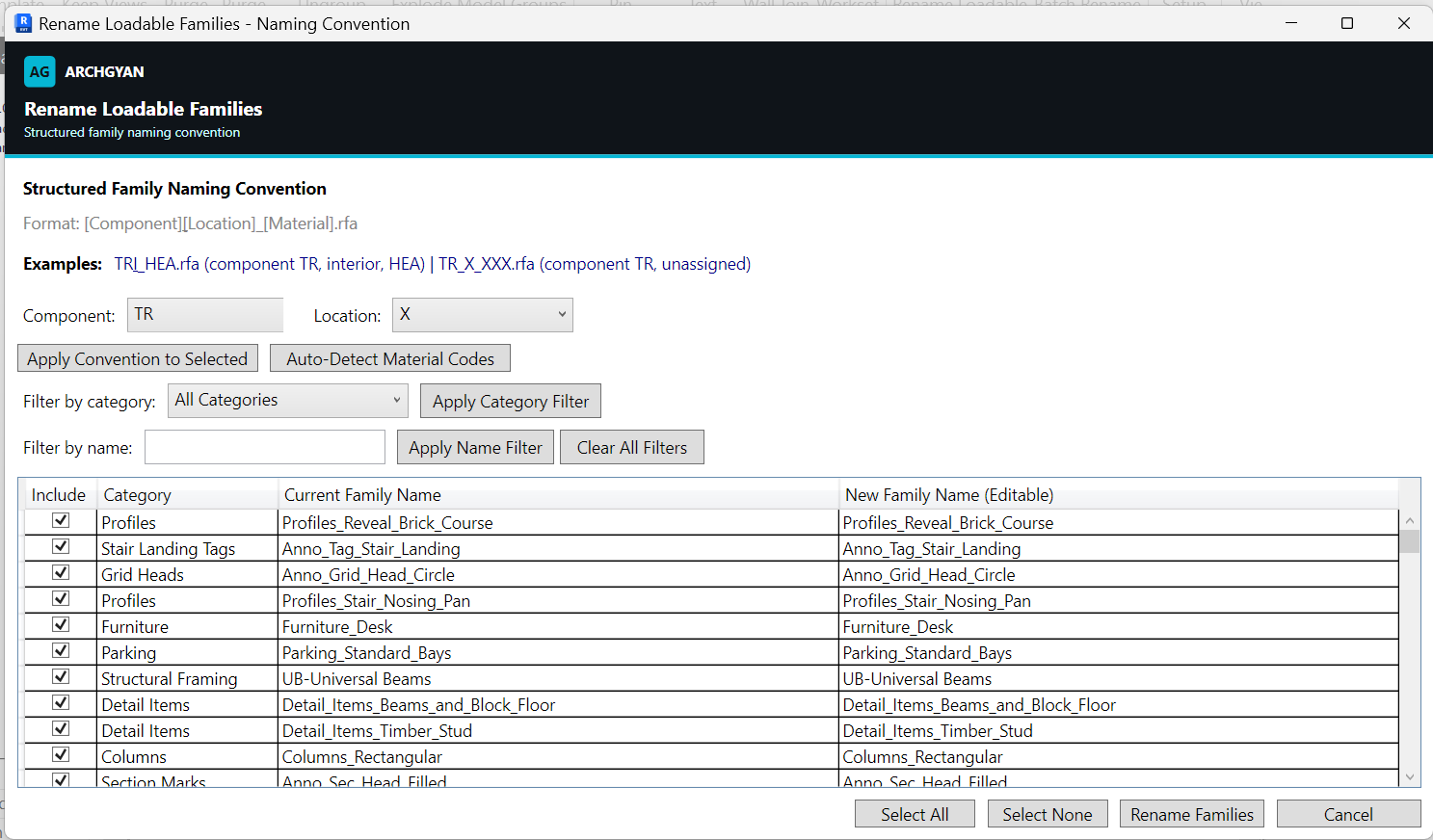
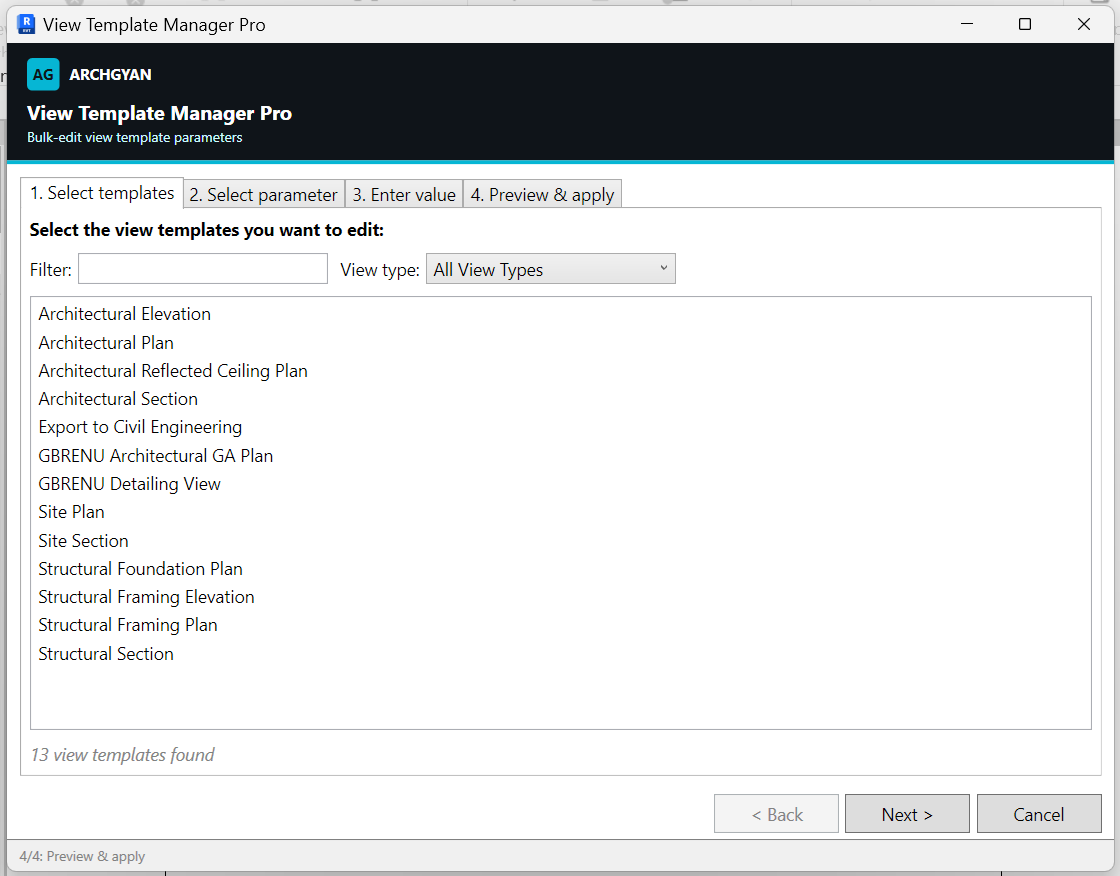
Nineteen production pyRevit tools in one Revit ribbon tab: sheets, rooms, cleanup, renaming, view templates, and worksets.
#
▦
↻
✎
⌗
▤
⊞
⇄
View product →200 credits
WORKFLOW BUNDLE
Revit PyRevit Productivity Toolkit
Nineteen production-tested pyRevit tools in one Revit ribbon tab: sheets, rooms, cleanup, renaming, and view templates.
200 creditsWORKFLOW BUNDLE
Revit Project Cleanup Toolkit
Eight pyRevit cleanup tools in one ribbon panel: purge unused views, templates, filters, groups, and links.
60 creditsWORKFLOW BUNDLE
Revit to IFC Export Workflow
Complete Revit-to-IFC workflow: presets, shared parameters, IFC mapping, validation checklist, and the pitfalls.
35 creditsWORKFLOW BUNDLE
Revit Project Setup Pack
Three pyRevit setup tools: batch sheet creation, per-room floor plan views, and door and window room tagging.
30 creditsPro subscribers get select products free. Browse the full marketplace →
05 / INSIDE THE TOOLKIT
Real Revit tools, not mockups
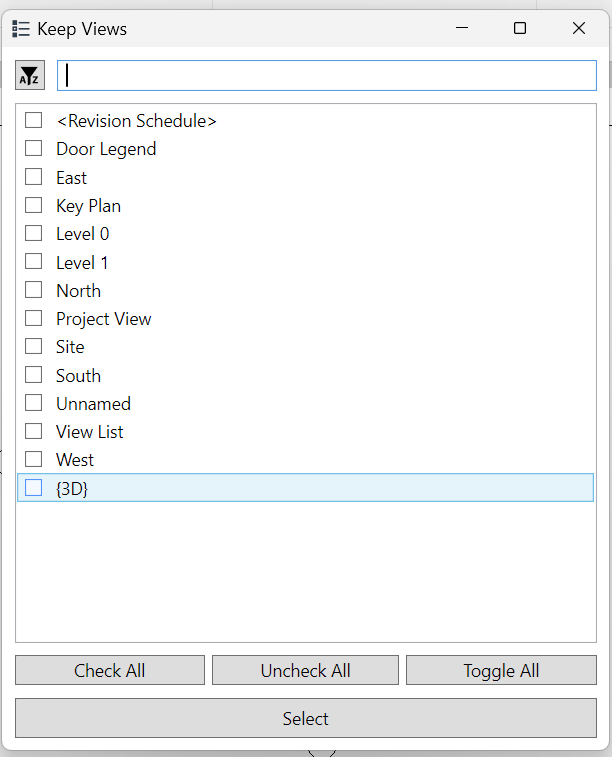
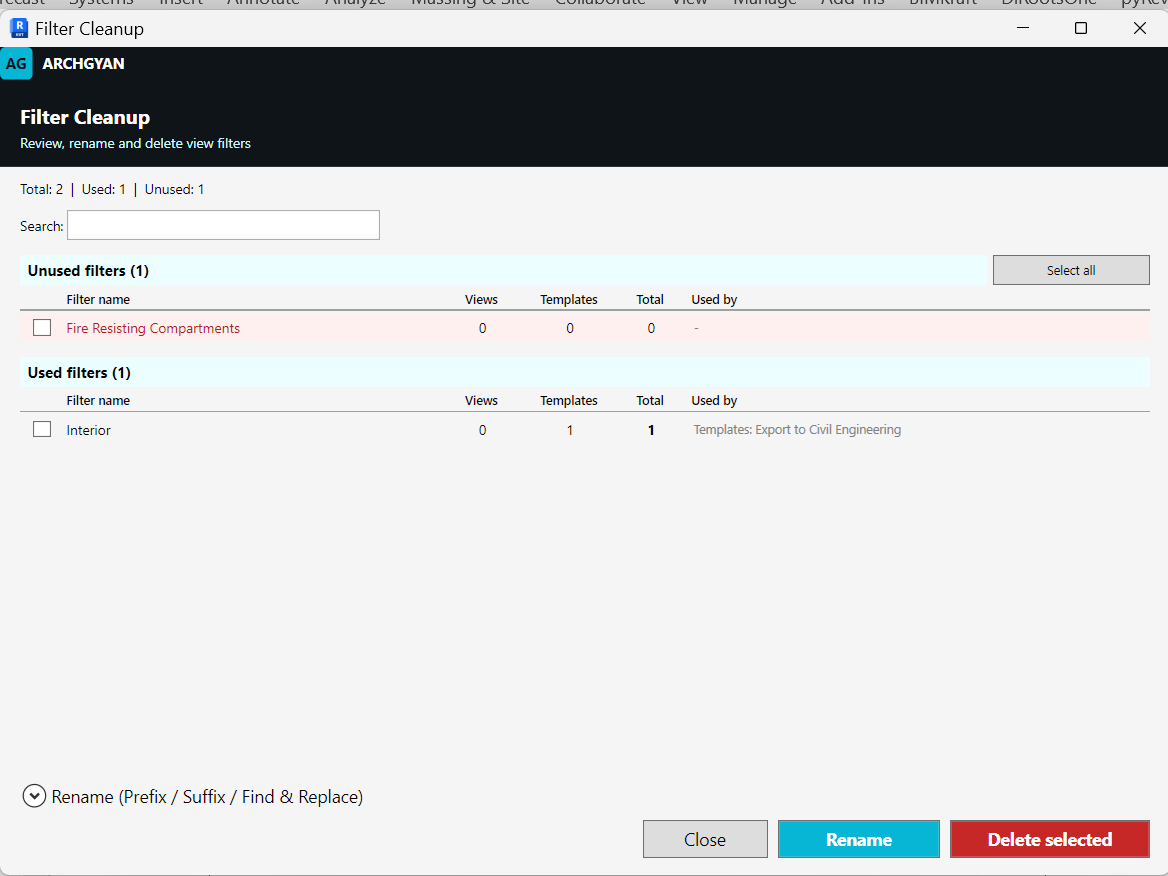
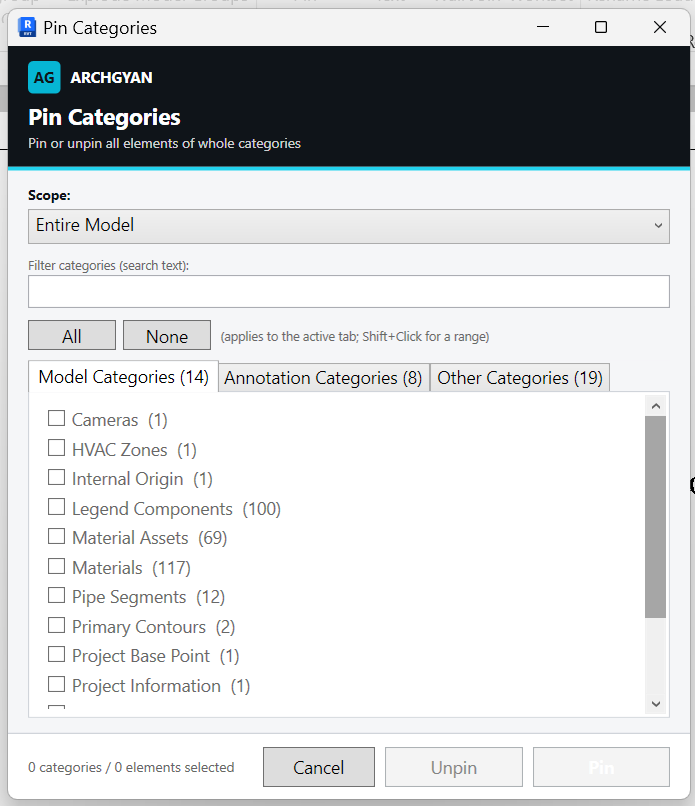
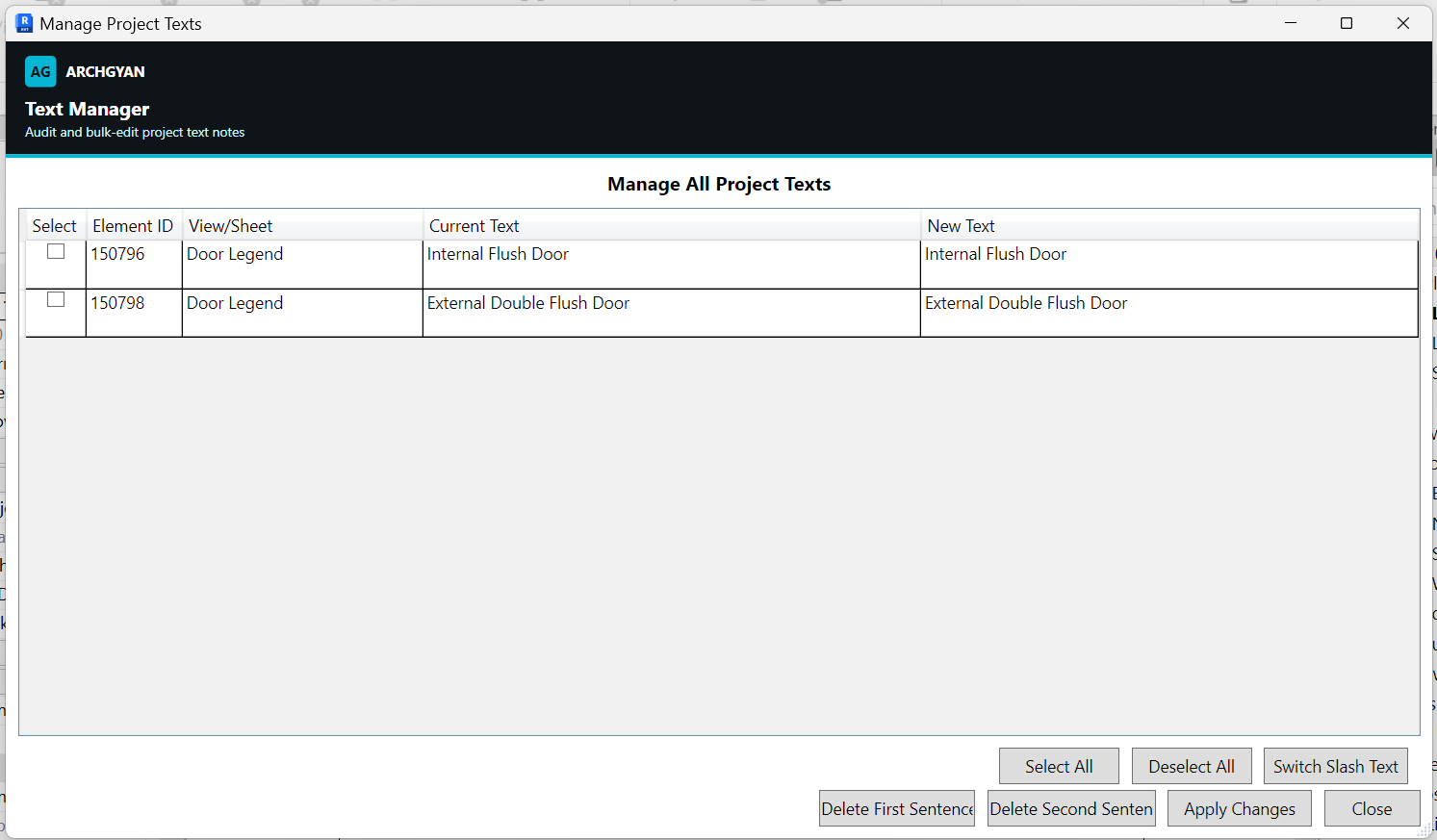
One install adds a BIMKraft pyRevit tab to your ribbon. Every button opens a polished, production-tested window. Here is the actual ribbon and the tools inside.

06 / ROADMAPS
Structured learning roadmaps
Don’t wonder what to study next. Follow a curated path from beginner to job-ready.
01Follow →
Revit Roadmap
10 COURSESMaster Autodesk Revit from the ground up: focused mini-courses covering essentials, documentation, and the advanced features working BIM professionals use every day.
10 courses
BIM Professional
07 / ON THE ROADMAP
What’s coming to Archgyan
The catalogue grows every month. Here’s what’s next.
COMING SOON
AI in Architecture
Prompt engineering, AI tools for design, and BIM automation: the AI toolkit for modern architects.
COMING SOON
Career Accelerator
Resume writing, interview prep, remote-work strategies, and how to land architecture jobs in the UK, Dubai, and Canada.
COMING SOON
Advanced BIM
IFC exports, model coordination, Navisworks clash detection, and BIM management for larger firms.
08 / OUTCOMES
Students building real careers
“I went from knowing nothing about Revit to confidently applying for BIM coordinator roles. The roadmap made it clear exactly what I needed to learn.”
PS
Priya Sharma
Architecture Graduate · Mumbai, India
“As someone who graduated during COVID, finding relevant BIM training online was impossible. Archgyan filled that gap perfectly.”
FA
Fatima Al-Rashid
Junior Architect · Dubai, UAE
“The subscription model is perfect. New content every month means I’m always adding skills as the catalogue grows.”
JO
James Okafor
Architecture Student · Nairobi, Kenya