Change one setting across dozens of view templates from a single guided window.
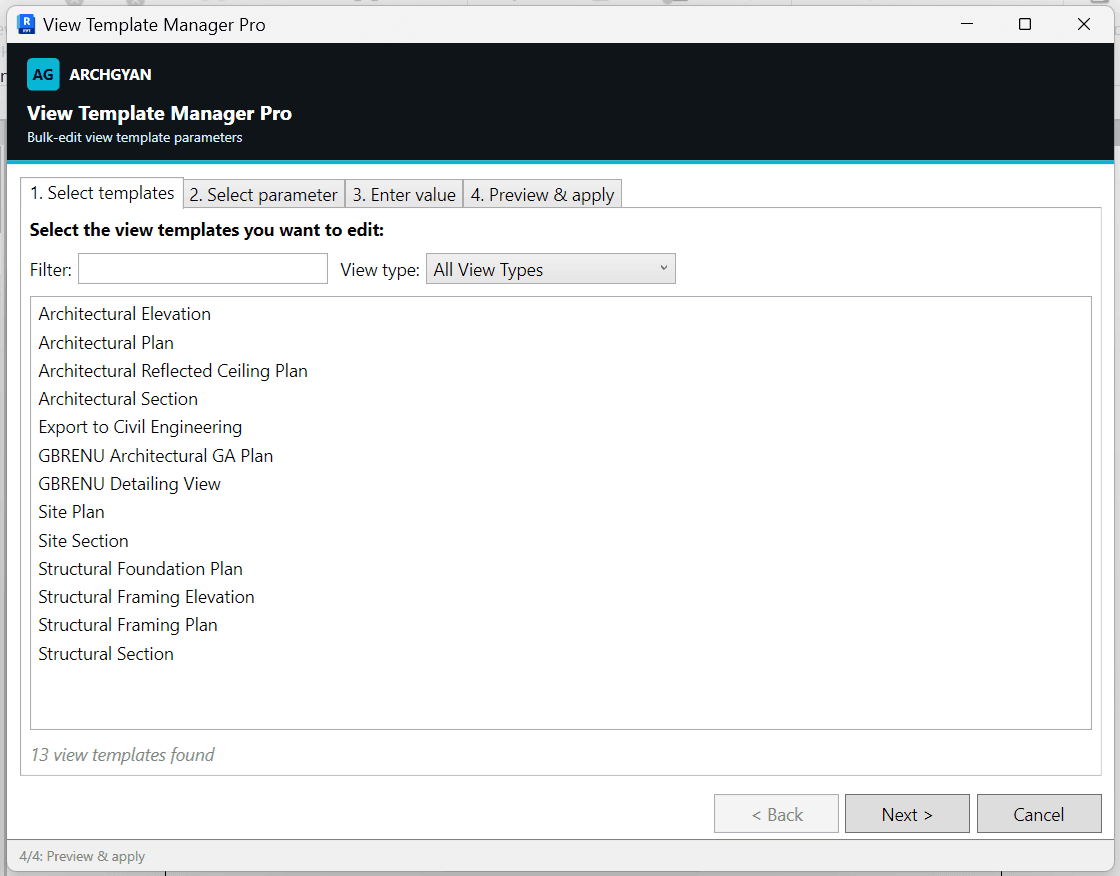
Keeping view templates consistent means editing the same parameter in template after template. This pyRevit tool replaces that with a four-step wizard: select your templates, pick the parameter, set the value, preview the result, and apply it everywhere in one undoable transaction.
What's inside
One pyRevit button: View Template Manager Pro, a resizable WPF wizard
Step 1: a template list you can filter by name and narrow by view type, with multi-select
Step 2: an editable-parameter browser grouped by parameter group, with a live preview of current values across your selection
Step 3: a smart value input that adapts to the parameter (checkbox for Yes/No, dropdown for element references, text otherwise)
Step 4: a before-and-after table for every selected template, then a one-transaction apply with an updated and failed count
Who this is for
BIM professionals maintaining large view-template sets who need settings consistent across them
BIM managers standardising view templates across a project or office
Revit users transitioning into BIM who want a guided, reviewable batch editor with a clear preview step
Requirements
Autodesk Revit 2021 or newer
pyRevit installed (free, from pyrevitlabs.io)
Applies changes in a single, undoable Revit transaction
Edits whichever parameters are editable on your view templates; read-only parameters are never offered and no special shared parameters are required
What you'll get faster
The view-template cleanup that usually means clicking through templates one by one. Filter the set, pick the parameter, preview the change, and apply it across every template at once.
Tools by BIMKraft, brought to you by Archgyan. Every product on the marketplace is built for working AEC professionals and students who want to ship better work, faster.