Edit every text note in your Revit project from a single window instead of hunting for them view by view.
Text notes scatter across plans, sections, and sheets, and fixing them one at a time is slow. This pyRevit tool collects every text note into one editable table so you can see where each one lives, change the wording inline, and apply all your edits in a single undoable transaction.
What's inside
One pyRevit button: Text Manager
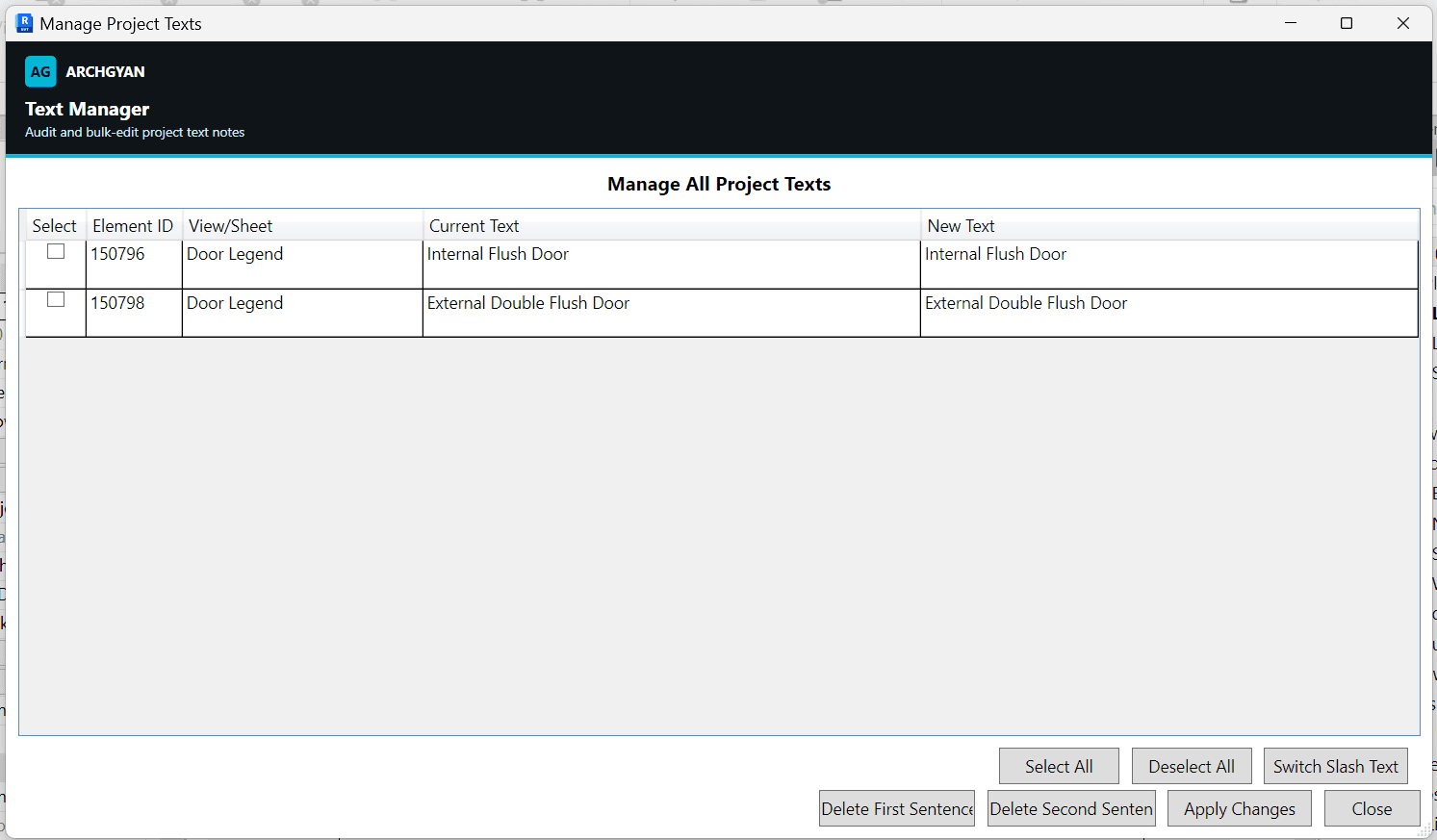
A central table listing every text note with its element ID, host view or sheet, and current text
Inline editing in a New Text column with Select All and Deselect All
Slash tools for bilingual or two-part notes: Switch Slash Text, Delete First Sentence, Delete Second Sentence
Apply Changes that writes every edit in one undoable transaction with a processed count
Who this is for
BIM professionals cleaning up annotation text across a whole model
BIM managers standardizing note wording before an issue or handover
Revit users transitioning into BIM who want one table instead of editing notes view by view
Requirements
Autodesk Revit 2021 or newer
pyRevit installed (free, from pyrevitlabs.io)
Runs in a single, undoable Revit transaction
What you'll get faster
Project-wide text cleanup. Open one window, edit or batch-process the notes, and apply every change at once.
Tools by BIMKraft, brought to you by Archgyan. Every product on the marketplace is built for working AEC professionals and students who want to ship better work, faster.