Standardise every family name in your Revit model from one dialog.
Inherited models arrive with family names from three different offices and five different conventions. This pack drops two batch renaming tools into a single pyRevit ribbon panel so you can bring loadable families and system family types onto one clean naming standard, with a full editable preview before anything changes.
What's inside
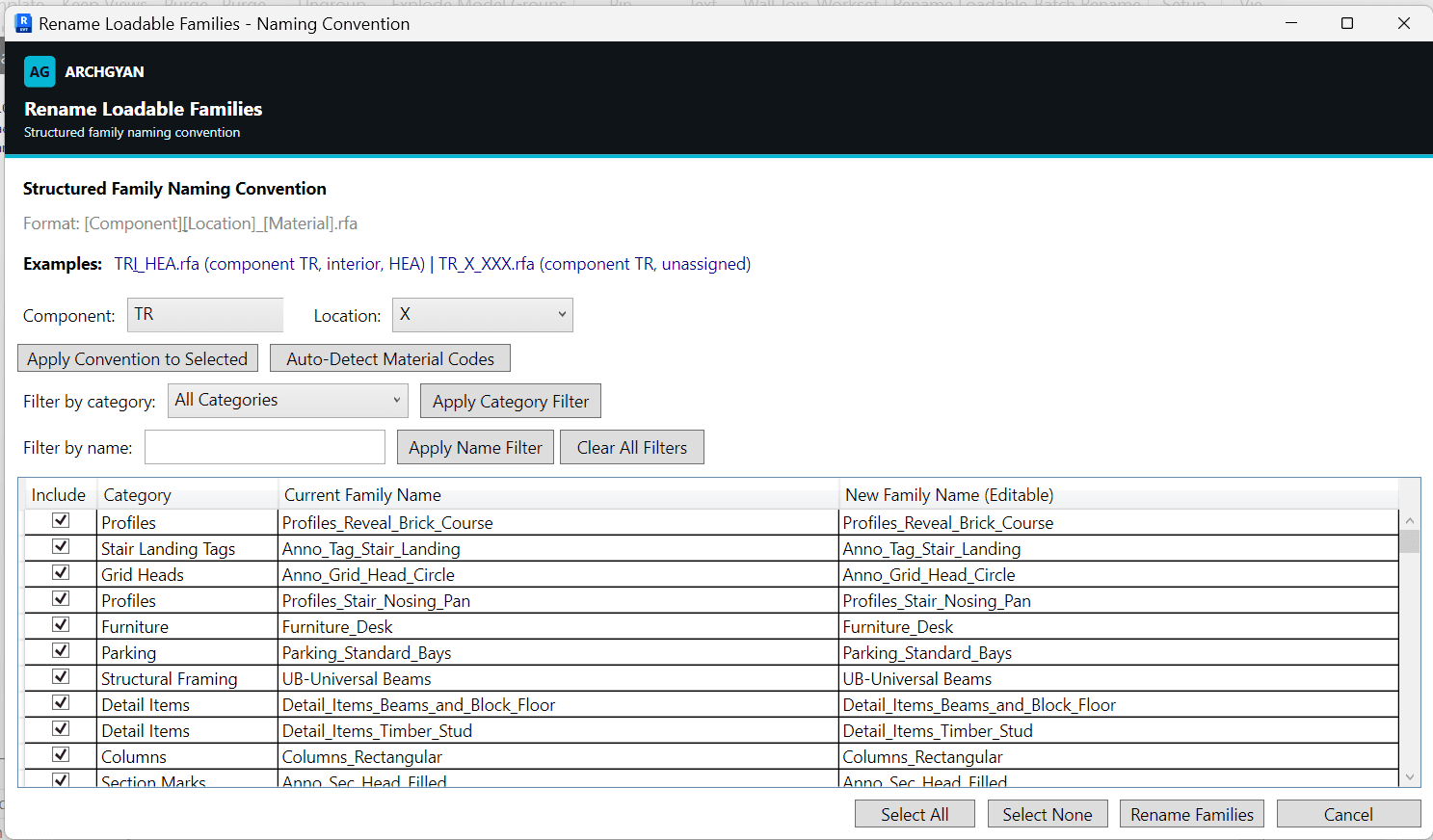
Loadable Family Renamer: lists every loadable family with its category, applies a structured [Component][Location][Material] convention, auto-detects 21 material codes (HEA, IPE, RHS, glulam, precast concrete and more), and filters by category or name
System Family Renamer: batch renames wall, floor, ceiling, roof, stair, and railing types by duplicating them with new names, using prefix, suffix, or find-and-replace, with an optional safe delete of unplaced originals
Editable preview grid in both tools: review and adjust every proposed name before applying
Duplicate and conflict validation before any rename runs
A step-by-step INSTALL.pdf covering pyRevit setup and both tools
Who this is for
BIM managers enforcing a naming convention across project models and templates
BIM professionals cleaning up family names in models handed over by consultants
Revit users transitioning into BIM who want reviewable batch renaming instead of one-by-one edits in the project browser
Requirements
Autodesk Revit 2021 or newer
pyRevit installed (free, from pyrevitlabs.io)
Both tools run in a single confirmable, undoable Revit transaction
What you'll get faster
The naming-standard pass that usually eats an afternoon. Load the families, apply the convention or your own prefix and find-and-replace rules, review the grid, and apply in one confirmable pass.
Tools by BIMKraft, brought to you by Archgyan. Every product on the marketplace is built for working AEC professionals and students who want to ship better work, faster.