Bring every loadable family in your Revit model onto one naming standard.
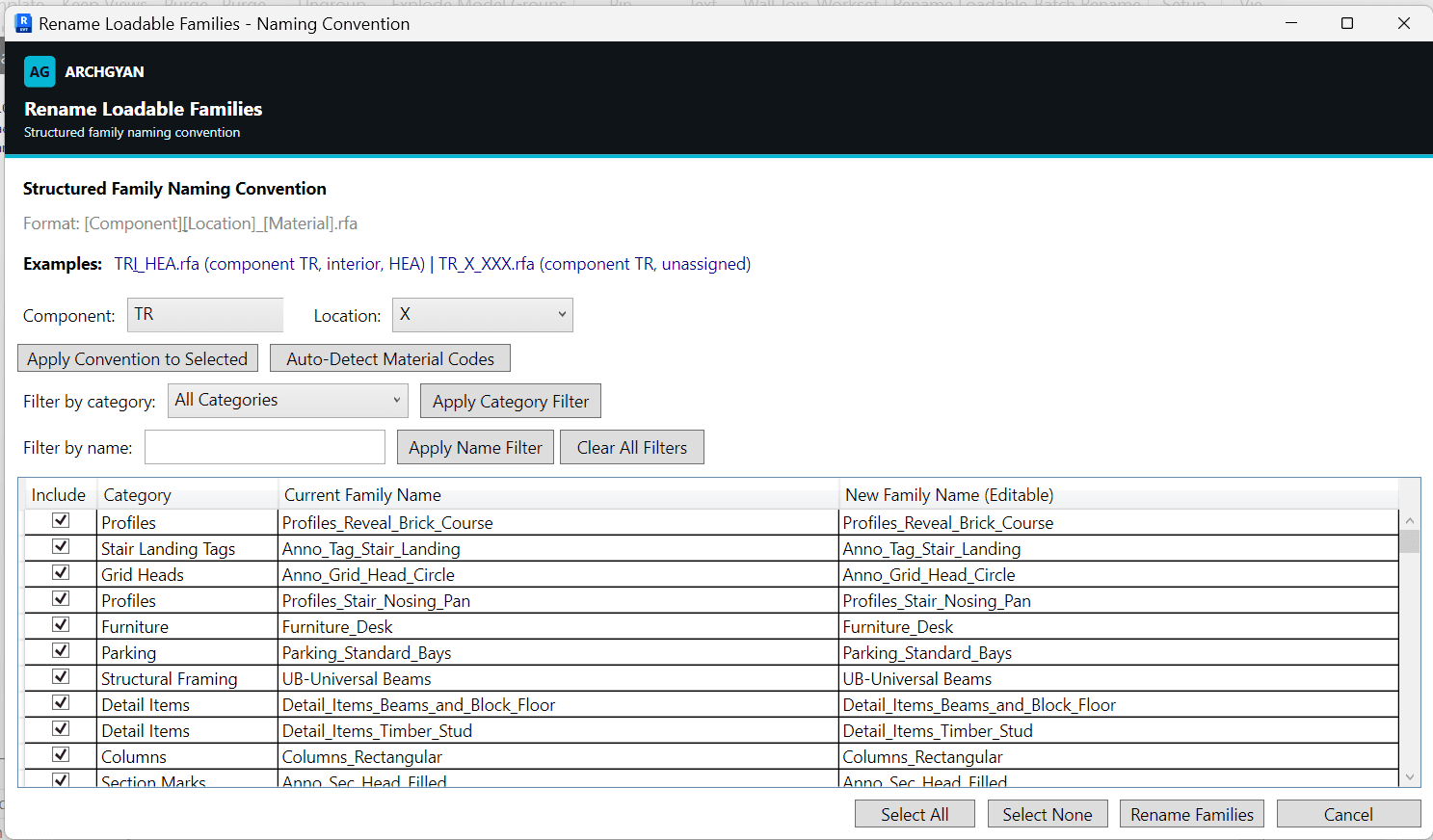
Family names drift: every consultant, content site, and office template brings its own style. This pyRevit tool lists every loadable family in the project and renames the lot to a structured [Component][Location][Material] convention from one editable grid, instead of renaming families one at a time in the project browser.
What's inside
One pyRevit button: Rename Loadable Families
A preview grid of every loadable family with its category, current name, and an editable proposed name
One-click convention naming in the [Component][Location][Material].rfa format
Auto-detection of 21 common material codes (HEA, IPE, RHS, glulam, precast concrete and more) from existing names
Category and name filters for working in batches
Duplicate and conflict validation before the rename runs
Who this is for
BIM managers enforcing a family naming convention across models and templates
BIM professionals cleaning up family names in inherited models
Revit users transitioning into BIM who want reviewable batch renaming
Requirements
Autodesk Revit 2021 or newer
pyRevit installed (free, from pyrevitlabs.io)
Runs in a single confirmable, undoable Revit transaction
The shipped component, location, and material code lists are editable in plain Python to match your office convention
What you'll get faster
The family naming cleanup that normally means hundreds of clicks in the project browser. Load, filter, apply the convention, review the grid, and rename in one confirmable pass.
Tools by BIMKraft, brought to you by Archgyan. Every product on the marketplace is built for working AEC professionals and students who want to ship better work, faster.